
Question-led guide · getting-started
What is a good first app to build with AI if I have never coded?
Choose a small collection or showcase that you understand, define a visible finish line, and add editing, storage, or accounts only when the purpose needs them.
Direct answer
Choose familiar content and one small job you can recognize when it works. A reading list, recipe collection, or project showcase is a useful starting point. Build a readable local page first, then add editing or storage when needed. Keep the finish line observable: you should be able to explain the page, make one change, and check its result.
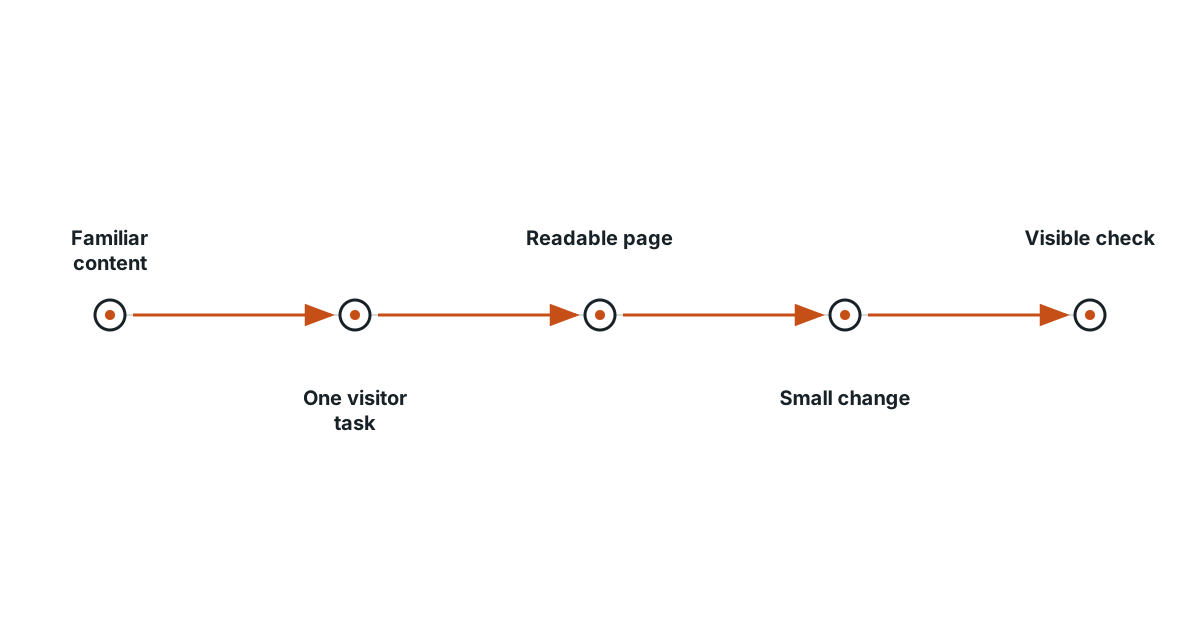
Pick content you can judge without help
Imagine making a small page about three walks you enjoy. You already know the names, descriptions, and destinations, so you can notice when the page says something wrong. Starting with an unfamiliar subject gives you two problems at once: learning the content and learning the software. Familiar material makes the result easier to review.
Give the visitor one clear job
Write a sentence such as: “This page helps a friend choose a short walk.” That is more useful than “Build me a beautiful app.” It tells you what information matters and what the visitor should be able to do. A map, account system, social feed, and recommendation engine might all be possible, but none is required to present three understandable choices.
Choose the first version deliberately
Begin with a heading, an introduction, and three entries that link to matching notes. This can be a normal web page with no sign-in and no private database. Later you may want to add entries through a form, save them in the browser, or share them across devices. Each capability introduces a new question; you do not need to answer all of them on day one.
Write a five-line project card
| Line | A concrete first answer |
|---|---|
| Reader | A friend choosing a weekend walk |
| Job | Compare three familiar routes |
| Contents | A short introduction and three route notes |
| Boundary | A local page using fictional or public information |
| Finished when | Each link opens the correct note and text fits a narrow screen |
Change the example to fit your own interests. Keep the last line as something you can actually demonstrate, rather than a feeling that the page looks finished.
Learn three roles while the page takes shape
HTML describes the content and structure, CSS controls appearance, and JavaScript can add behavior. You do not need to memorize all three languages before starting. Ask which file controls one heading, find that heading, change a word, save, and reload. This small exercise connects an actual file to an observable result instead of relying entirely on an assistant’s summary.
Stop at a useful result before adding complexity
Check the three links, read the page in a narrow window, and explain what you changed. Save a working copy you can restore. If the showcase already serves its purpose, keep it there. If editing would make it more useful, make that the next bounded step. A first project succeeds when you can keep improving something you understand, not when it contains the largest number of features.
Evidence and scope
- MDN Your first website: MDN introduces a small first website through content, styling, interaction, and publication.
- MDN Basic HTML syntax: HTML elements and attributes describe the structure and properties of page content.
The proposed checks are teaching tools; validate their behavior in the actual environment.
Evidence
MDN introduces a small first website through content, styling, interaction, and publication.
MDN introduces a small first website through content, styling, interaction, and publication.
Primary source · official-doc · checked Sep 11, 2026
Limit: This source supports the named mechanism, not the outcome or thresholds of the illustrative workflow.
HTML elements and attributes describe the structure and properties of page content.
HTML elements and attributes describe the structure and properties of page content.
Primary source · official-doc · checked Sep 11, 2026
Limit: This source supports the named mechanism, not the outcome or thresholds of the illustrative workflow.
Limitations
The scenarios and decision worksheets are original teaching examples. They are not measured deployments or guarantees; adapt the checks to the actual system and its documented behavior.
FAQ
- Do I need a database for my first page?
- No. A readable showcase can use ordinary page files. Add stored, editable data only when the project needs it.
- Do I have to learn every programming term first?
- No. Start with the files and behavior involved in one small change, then learn the next concept when it becomes useful.
Related guides
Continue within Build your first app with AI, or use one of these adjacent diagnostics:
Editorial QA: automated native-English, structure, source-presence, and link checks completed . This record is not an independent expert endorsement. Review boundary.