
Question-led guide · checklist
What should I review before putting my first AI-built app online?
A small release review covering intended audience, selected files, private data, actual destinations, tested behavior, failure states, and a recoverable version.
Direct answer
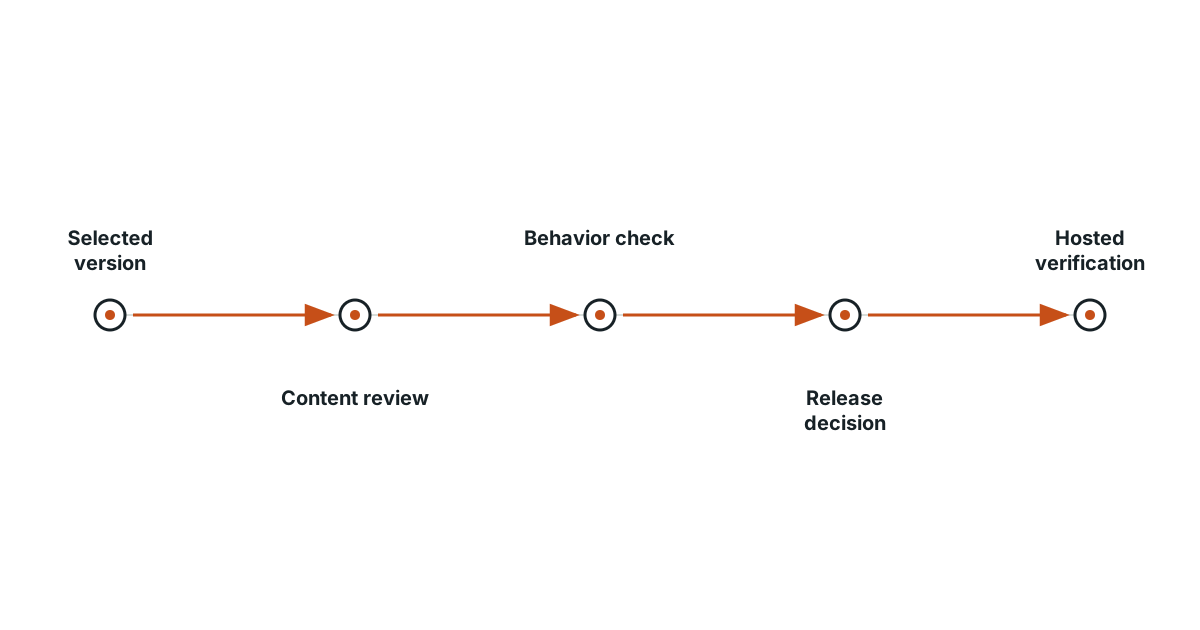
Review the exact version and audience before publishing. Check the visible content, links, included files, stored data, and any service permissions. Run the main task and one failure case, keep a version you can restore, and choose a limited first audience when useful. After publication, inspect the real URL; a successful local preview does not establish the behavior of the hosted app.
Decide who should see this version
A page for your own practice, a link for two friends, and a public application have different audiences. Write down the intended one. A temporary preview address is not automatically private, so confirm the hosting service’s actual access behavior before placing confidential material there. A simple public showcase can use content that is already appropriate to share.
Review the files that will leave your computer
Identify the selected output and check for unintended notes, credentials, private exports, or unused images. Do not upload the entire working folder simply because it contains the page somewhere inside it. For a cloud app, identify which configuration belongs in the browser and which sensitive values belong in a trusted service. Resolve that distinction before the release.
Follow the reader’s real task
Open the first screen, use its primary control, and reach the promised result. Check every important link’s destination, including those hidden behind images or buttons. Try a narrow window and keyboard navigation. Read the instructions without the development conversation beside you; a new reader will not know the assumptions you and the assistant discussed earlier.
Include a failure in the release check
Try an invalid form entry, no search matches, and a service failure if the app uses a service. Confirm that errors explain recovery and preserve useful input. Use invented data for this review. A successful happy path does not show what happens when a visitor makes an ordinary mistake or a dependency is unavailable.
| Release note | What to write |
|---|---|
| Version | The reviewed files or saved revision |
| Audience | Who may use or see this release |
| Main task | The behavior checked from start to finish |
| Failure | One failed attempt and its recovery |
| Data boundary | What is public, private, or stored locally |
| Recovery | The prior version and how to restore it |
Keep a version you can return to
Save the working release and understand the hosting tool’s recovery method. For an app with stored data, recognize that restoring code may not undo data changes. Start with a limited trial when you need to learn from use before widening the audience. The plan should name a concrete response if the main task stops working.
Verify the actual shared address
After an authorized publication, open the real URL in a fresh session and repeat the primary task. Local files, preview settings, and production services can differ. Record the observed result and any limitations for the first readers. Then use their actual attempts to choose the next change. Publishing begins an operating responsibility; it does not replace the small review habits that made the first version understandable.
Evidence and scope
- MDN Publishing your website: Publishing makes the selected website files available through a hosting service.
- W3C WAI Validating Input: Accessible validation should identify errors and help the user correct the input.
The proposed checks are teaching tools; validate their behavior in the actual environment.
Evidence
Publishing makes the selected website files available through a hosting service.
Publishing makes the selected website files available through a hosting service.
Primary source · official-doc · checked Sep 11, 2026
Limit: This source supports the named mechanism, not the outcome or thresholds of the illustrative workflow.
Accessible validation should identify errors and help the user correct the input.
Accessible validation should identify errors and help the user correct the input.
Primary source · official-doc · checked Sep 11, 2026
Limit: This source supports the named mechanism, not the outcome or thresholds of the illustrative workflow.
Limitations
The scenarios and decision worksheets are original teaching examples. They are not measured deployments or guarantees; adapt the checks to the actual system and its documented behavior.
FAQ
- Does a preview URL mean only I can see the app?
- No. Check the hosting service’s actual access controls and treat an unprotected URL as shareable.
- Does restoring old code restore old data too?
- Not necessarily. Code recovery and data recovery need separate procedures when a service stores user records.
Related guides
Continue within Build your first app with AI, or use one of these adjacent diagnostics:
Editorial QA: automated native-English, structure, source-presence, and link checks completed . This record is not an independent expert endorsement. Review boundary.