
Question-led guide · decision
Is browser storage enough to keep the data in my first app safe?
Understand local browser storage, device and origin boundaries, export files, import validation, and a restore rehearsal before trusting a personal collection.
Direct answer
Browser storage can support a useful local app, but it is not a backup or automatic cross-device sync. Explain where the data lives, handle failed writes, and provide an export format the user can restore. Test restoration in a separate practice environment before depending on the saved collection. Add a server only when the intended use needs the additional responsibility.
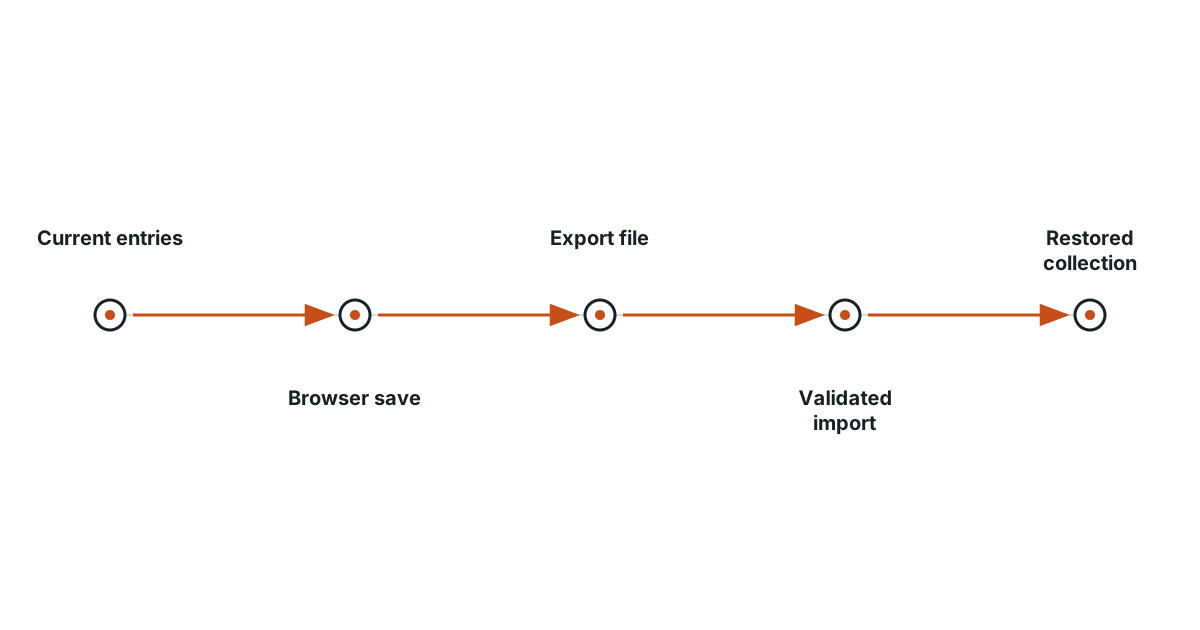
Ask where the collection actually lives
A fictional reading app remembers entries after a reload, so its owner assumes the collection is stored in an online account. In fact, the app uses local browser storage. Another browser or device may show an empty collection. Explain this boundary in plain language before choosing a reassuring label such as “saved.”
Distinguish memory from persistent browser data
Data held only in a running page may disappear when it closes. Local storage can persist between sessions, but it belongs to an origin and is subject to browser behavior and user actions. Changing the address or using a different profile may change which stored data the page sees. An app should not silently replace an unreadable stored collection with an empty one.
Add an export the user can keep
A small collection can use a documented structured file with a format version and a list of entries. The export should include the data needed to rebuild the collection without relying on the original browser state. Use a meaningful filename and explain that the user must retain the file. Downloading a backup once does not keep it current as new entries are added.
Inspect an import before replacing anything
Validate the format, required fields, and reasonable size. Tell the user how many entries are being imported and whether the operation merges or replaces existing data. Replacing a working collection with a malformed file is an avoidable loss. Keep the prior collection intact until the import passes validation and the user has chosen the intended operation.
| Check | Expected observation |
|---|---|
| Reload after saving | The same valid entries remain |
| Export | A readable file contains the intended records |
| Import into a practice copy | Titles, notes, and identifiers return correctly |
| Malformed import | A useful error with existing data preserved |
| Failed storage write | Failure is visible rather than reported as saved |
Rehearse restoration without risking the only copy
Use invented entries and a separate test profile or other isolated practice environment. Export, restore, and compare the entry count and important fields. Do not clear the only real collection as a casual test. The useful evidence is that a retained file can reconstruct the intended data, not merely that a download button produced a file.
Add cloud storage when the purpose requires it
Cross-device access and collaboration may justify a server. They also introduce identity, permissions, service failures, and recovery responsibilities. A reliable local collection with an understandable export path can remain a valid final product. Choose the next capability because it solves a real problem, and preserve the recovery checks when the storage architecture changes.
Evidence and scope
- MDN localStorage: Local storage is associated with an origin and can persist between browser sessions.
- MDN Storage quotas and eviction: Browser storage has quotas and persistence policies; applications must handle storage failures and possible removal.
The proposed checks are teaching tools; validate their behavior in the actual environment.
Evidence
Local storage is associated with an origin and can persist between browser sessions.
Local storage is associated with an origin and can persist between browser sessions.
Primary source · official-doc · checked Sep 11, 2026
Limit: This source supports the named mechanism, not the outcome or thresholds of the illustrative workflow.
Browser storage has quotas and persistence policies; applications must handle storage failures and possible removal.
Browser storage has quotas and persistence policies; applications must handle storage failures and possible removal.
Primary source · official-doc · checked Sep 11, 2026
Limit: This source supports the named mechanism, not the outcome or thresholds of the illustrative workflow.
Limitations
The scenarios and decision worksheets are original teaching examples. They are not measured deployments or guarantees; adapt the checks to the actual system and its documented behavior.
FAQ
- Does localStorage automatically sync between devices?
- No. Treat it as storage associated with the current browser origin, not as an online account or sync service.
- What is stronger evidence than a successful export download?
- Restore that export into an isolated practice environment and compare the recovered records with the originals.
Related guides
Continue within Build your first app with AI, or use one of these adjacent diagnostics:
Editorial QA: automated native-English, structure, source-presence, and link checks completed . This record is not an independent expert endorsement. Review boundary.